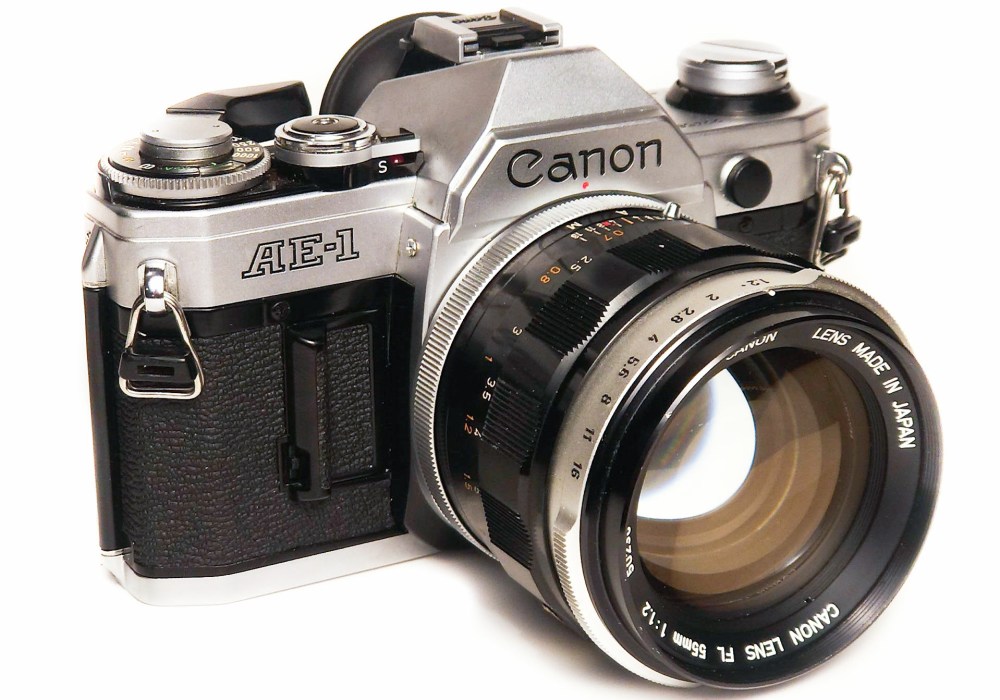
I found a Canon 55 mm f1.2 FL lens at the flea market and wanted to use it on my AE-1 which is designed for FD lenses, surprisingly my search of the internet did not turn up a good simple explanation of how to use an FL lens on the AE-1. I figured out I need to use “stopped down metering” but was not really clear on why or how it worked, well I’ve figured it out and here is a nice simple guide.
Why you need to use stopped down metering
With an FD mount camera such as the AE-1 using an FD mount lens the “full aperture signal pin” of the lens tells the camera what the lens maximum aperture is. The information from the “full aperture signal pin” allows the camera to meter wide open and calculate which aperture needs to be set for proper exposure, the needle can then point to the aperture you need to select or select it for you. For example, if the lens is an f2.8 and the camera meter determines it needs one stop less light then it knows f4 is the aperture that will give proper exposure. However since the FL lenses do not have a “full aperture signal pin” the camera does not know if it is metering light through an f2.8 or an f1.4 or an f4 and therefore cannot tell you which aperture should be used to take the photo. You will notice that when you have an FL mount lens attached to the AE-1 and you half press the shutter a red “M” will flash in the viewfinder to indicate manual mode, this is because the camera does not have the information it needs for any of its automatic functions, using the AE-1 with an FL lens is always full manual.
How to use stopped down metering
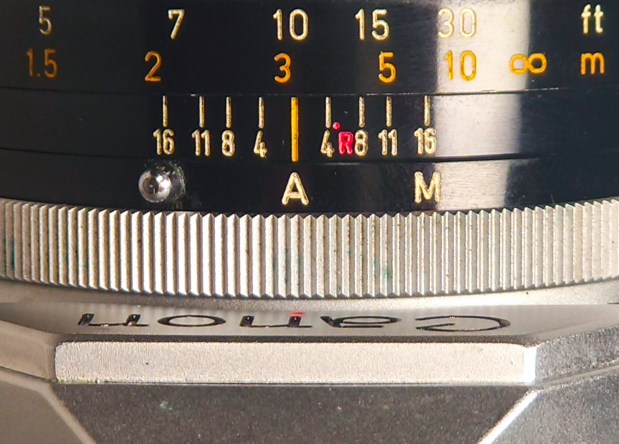
First, your lens needs to be set to “A” not “M” (pictured below on a 55 mm f1.2)
Now push in the stop down lever (below left) until it locks in place (below right).


Center your subject in the viewfinder and half press the shutter button, you should see the exposure needle move. In stopped down metering mode you do not pay any attention to the indicated apertures, they do not mean anything, in stopped down metering you are using the meter to simply indicate proper exposure. For the AE-1 proper exposure is indicated when the needle is pointing at the square next to the 5.6 (again the 5.6 does not mean anything). Adjust your settings however you like (shutter and aperture) until the meter indicates proper exposure (see right hand edge of the example photo below).

Now, release the stop down lever by pushing the small silver button that was revealed when it was locked. Your camera is now set to an aperture and shutter speed that will provide proper exposure according to your cameras meter. The aperture is also wide open now to allow easier focusing and framing of your subject but will automatically close to the set aperture when you take a photo. Note that if your lighting changes you will need to go through the metering process again.


Thank you so much for this! I was trying to use my 55mm f1.2 on my Ae-1 Program and this helped a lot.
LikeLike
I have just recently purchased an FL19mm 3.5 R for my AE-1 which I acquired in the late 70’s.
I found a Video on YouTube with the Vlogger demonstrating the Stop Metering on the AE-1, only he was not able to insert the stop down lever until his FL was set to Manual.
Your instructions specify to set the FL to Automatic.
I don’t know if his problem was specific to the equipment he was using. But in the video, you clearly see that he is unable to push the stop down until he sets the lens to M.
LikeLike
I’m not sure why it would be different, in my experience if you have it on manual the aperture is not affected by the stopped down metering lever, it just stays at what you have set manually because it’s not using the physical connection to the camera to set the aperture. Did he then switch it to automatic after pusing in the stopped down metering lever? How does it work on your lense?
LikeLike